Installing Cairn
Dependencies
Required dependencies
Package |
Version |
Use |
3.10.9 |
Post-treatment, sensitivity studies |
|
Microsoft Visual C++ 2015 Redistributable |
2015 |
The Visual C++ Redistributable Packages install the runtime components needed to run C++ applications built using Visual Studio 2015 (C Runtime (CRT), Standard C++, MFC, C++ AMP and OpenMP). |
Optional dependencies
Package |
Version |
Use |
20.1 |
Use commercial solver CPLEX |
Standalone installation
Windows
In the documentation, CAIRN_APP refers to the root directory.
Use the installer Cairn_r.n.m, r being the major release number and n the minor one (update) and m the bugfix version.
Double click on the installer and follow the instructions.
If you are using CPLEX, do not forget to check the CPLEX component, you will be asked to confirm default location later on. Specify the path to CPLEX component if relevant and at the end, click on Install.
Python 3.10.9 and a dedicated virtual environment are needed as a pre-requisite. The virtual environment can be generated automatically by checking the box “Install virtual environment?”
Caution
You must accept the licenses.
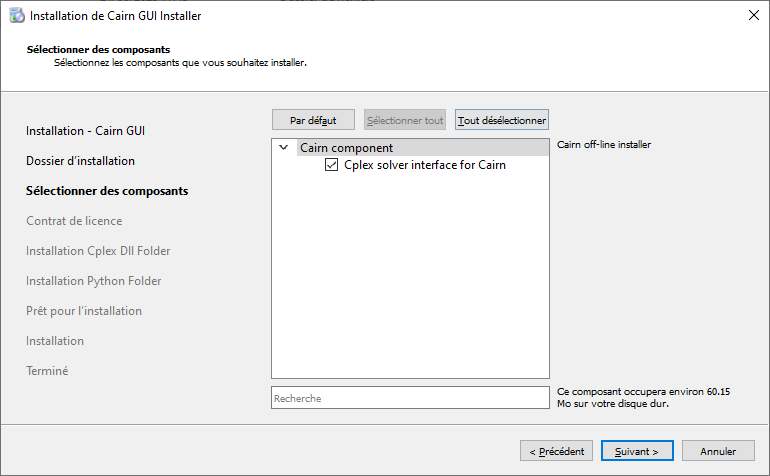
Fig. 11 Choose the components you want to install
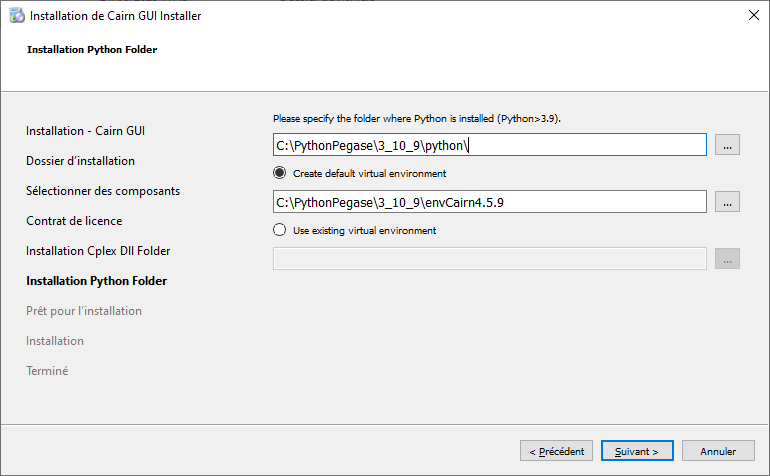
Python Package Installation
A wheel is available in the Releases section on GitHub. To install it, run the following command:
pip install {name_of_the_wheel}.whl
Note
This package currently supports Windows only.
To use the CPLEX solver with the Python package, you must:
Ensure that cplex.exe and cplex2010.dll are present on your system.
Add their location to your system PATH environment variable.
Dependencies to compile the API
Required dependencies
Package |
Version |
Qt |
5.15 |
python |
3.10 |
pybind11 |
2.11.1 |
pandas |
>= 1.5.2 |